
- Version
- 0.1.0-alpha.6
- Status
- Alpha
- Licence
- MIT
- Engine
- Rust
- Interface
- Tauri 2, React
- Bar Beat Div
- Mode
Marbble
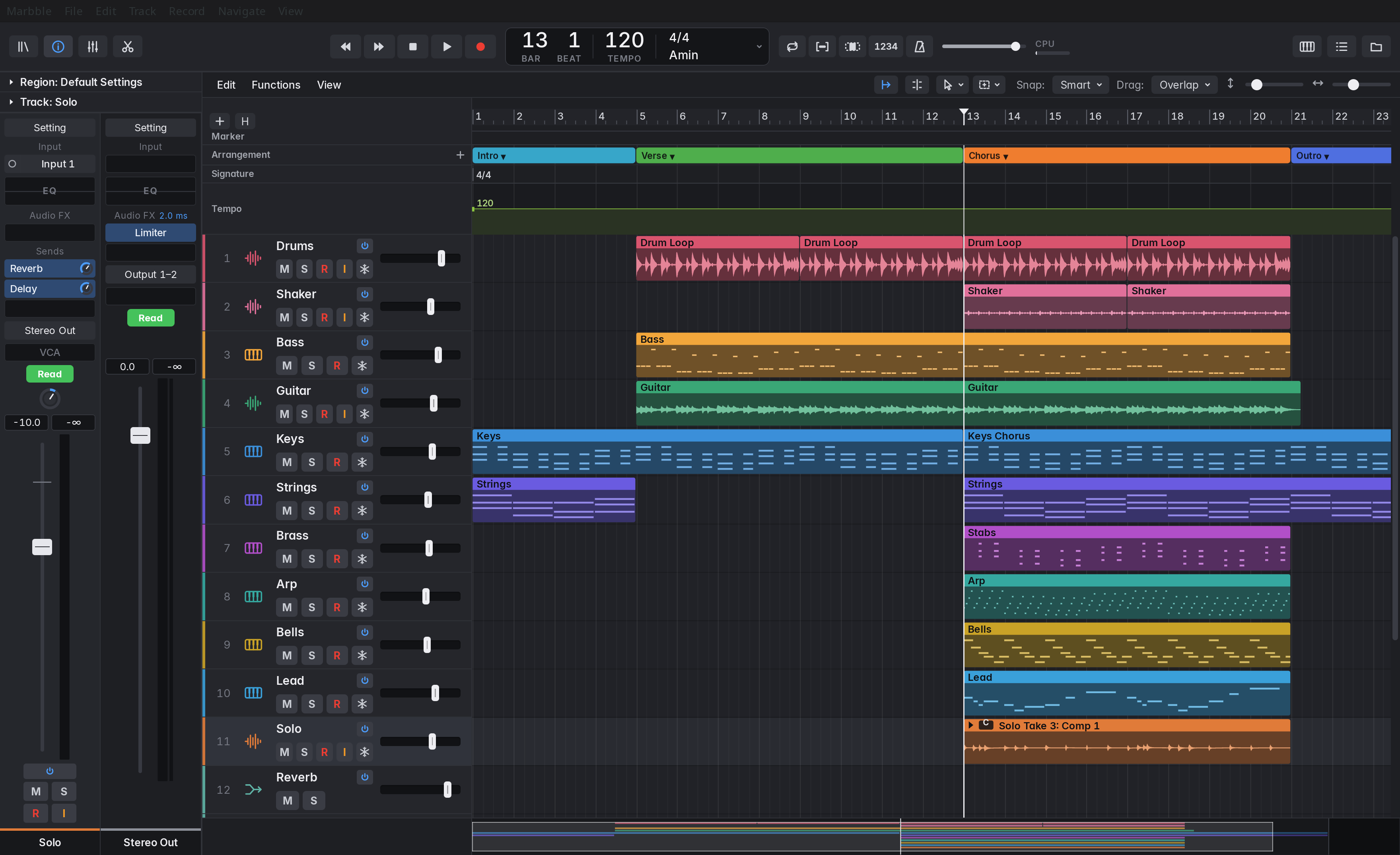
A digital audio workstation modelled on Logic Pro's workflow and layout. The audio engine and VST3 host are written in Rust; the interface is Tauri 2 with React.
Record, edit, mix and bounce. Developed on Linux, with early builds for Windows and macOS. Open source under the MIT licence.
01 Instruments
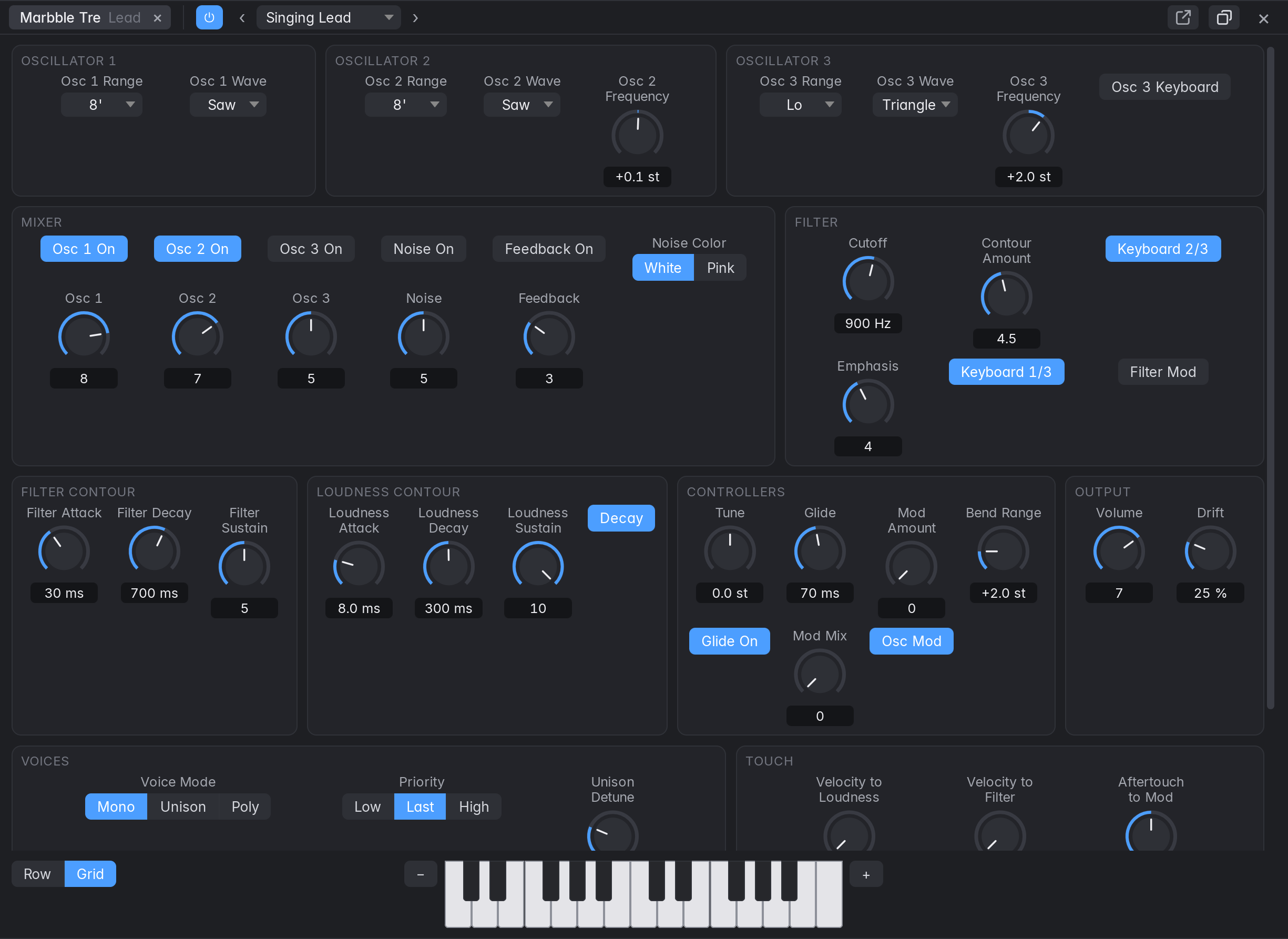
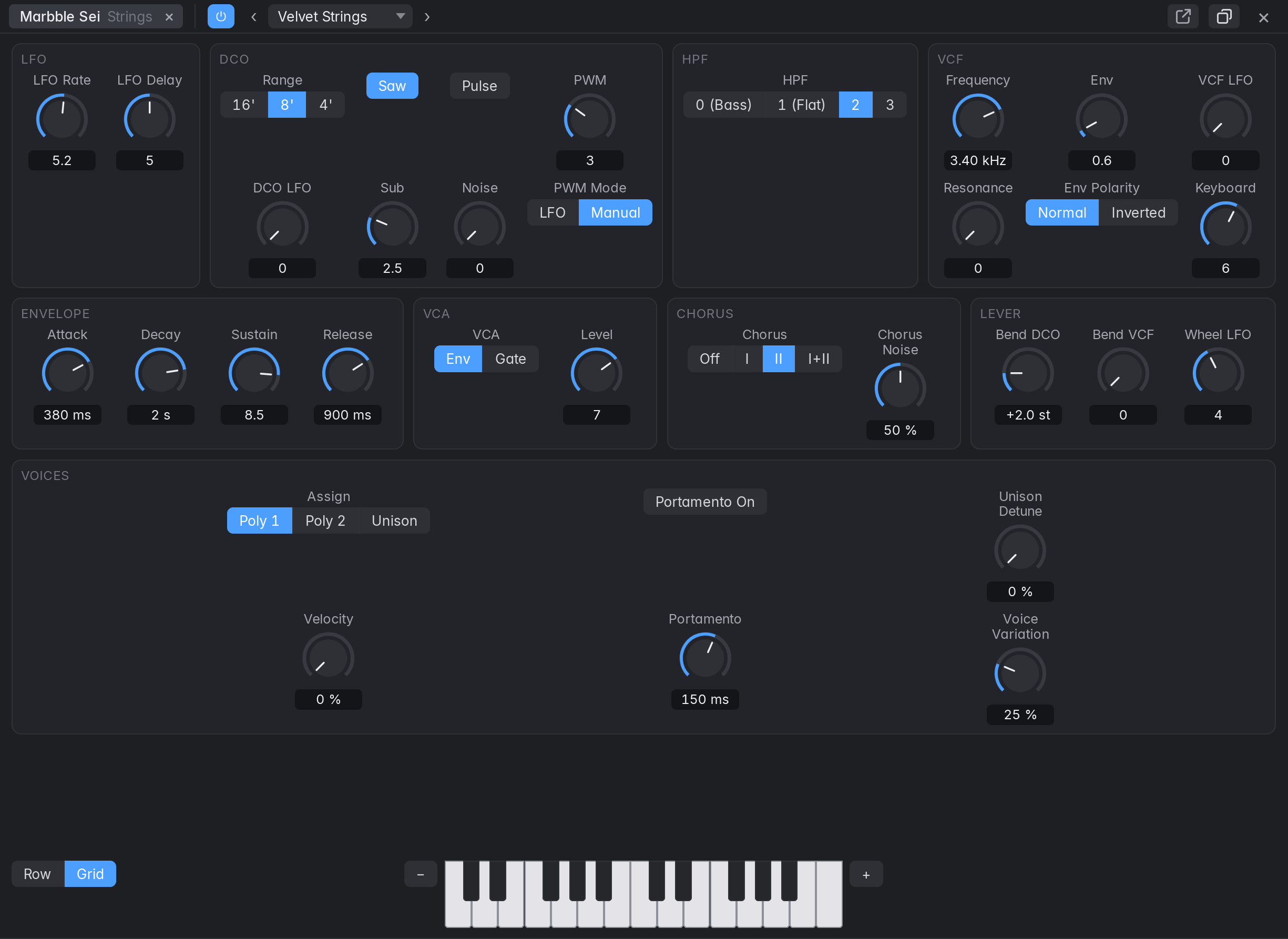
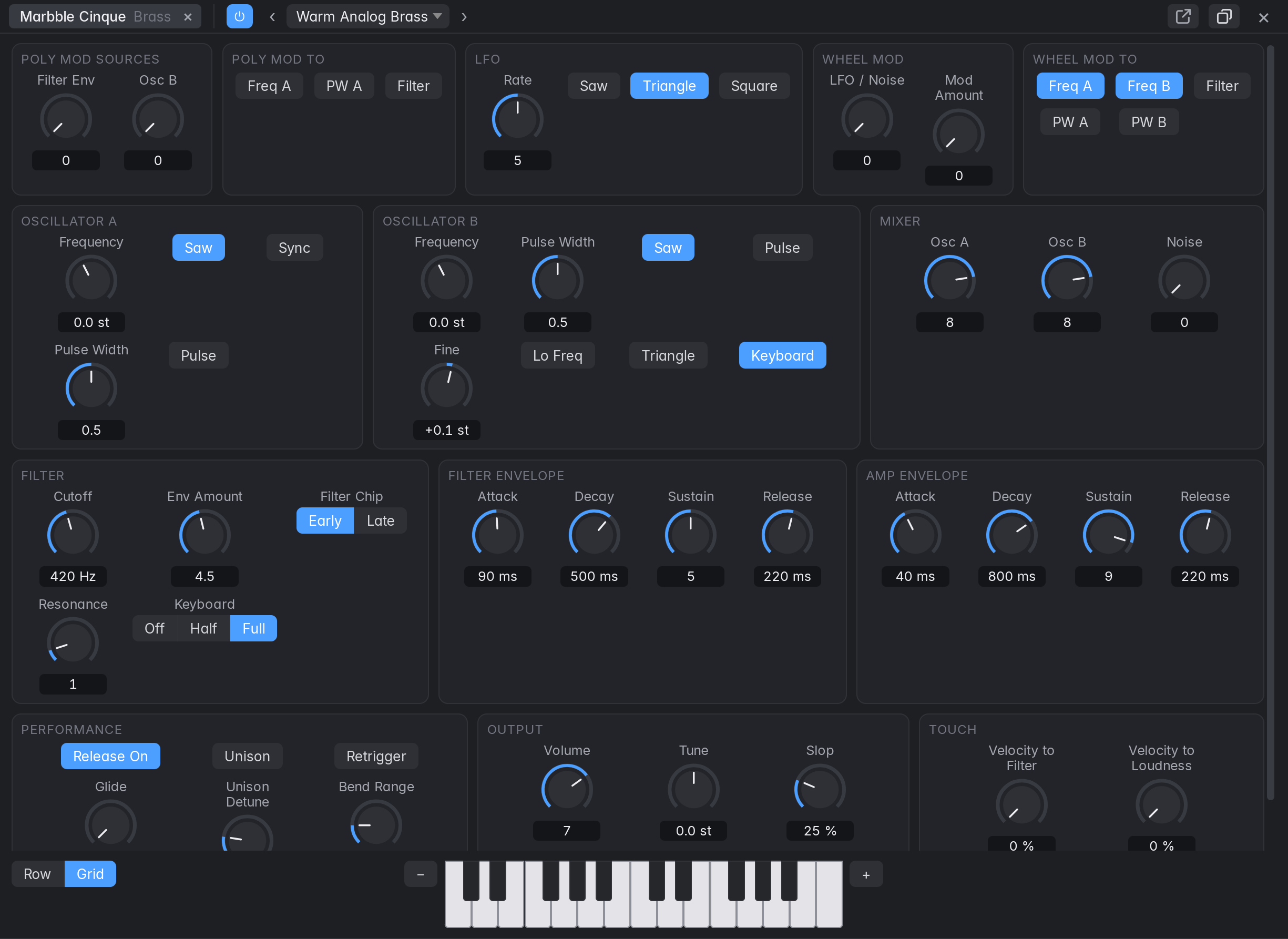
Six synth models, on the same footing as the effects.
Each has a panel you can dock or float, factory presets, automation, MIDI learn, undo and saving, and each freezes and bounces. They sit under Vintage Synths and Modern Synths in the instrument slot, beside the simple Marbble Synth that new tracks start with.
- VintageMarbble Tre1voice
plus Unison and PolyThree oscillators and a mixer that overdrives, into a 24 dB transistor-ladder filter that self-oscillates in tune. Two contours with a Decay switch, glide, oscillator drift, and osc 3 and noise as modulators. - VintageMarbble Sei6voices
one DCO eachSaw, pulse and a sub an octave down, a 24 dB filter, one envelope with a VCA gate, a four-position high-pass, and a stereo bucket-brigade chorus with modes I, II and I+II. - VintageMarbble Cinque5voices
two oscillators eachPoly Mod from the filter envelope and Osc B, to Osc A's pitch and width and the filter, separately in every voice. Sync, a wheel for LFO or noise, and a slop control for how far voices wander. - VintageMarbble Uno1voice
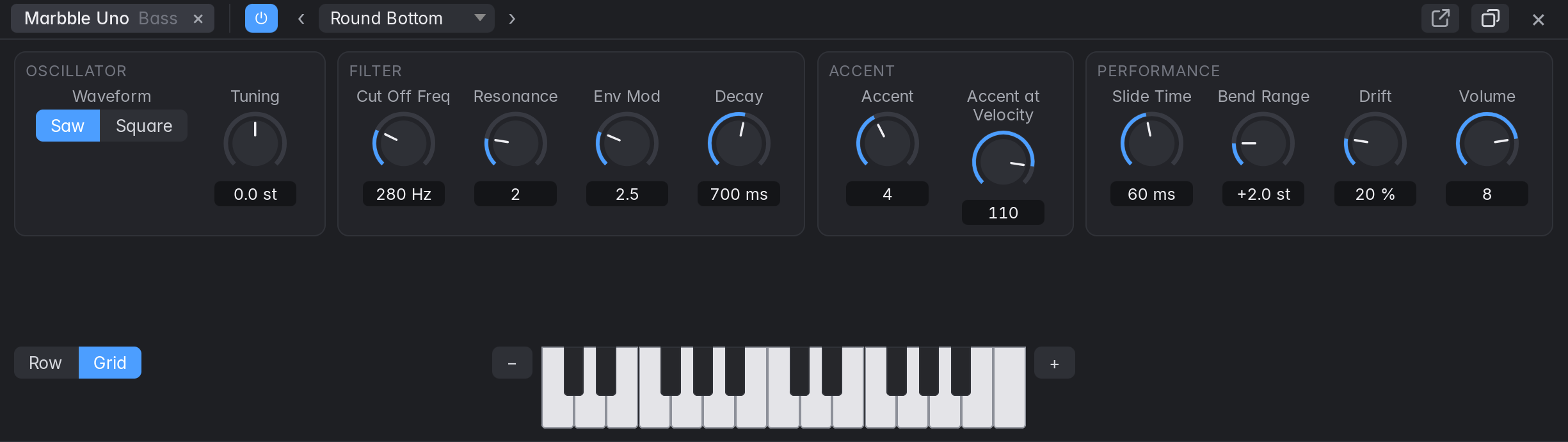
one oscillatorA diode ladder, accent with its sweep, and slide, made for a bass line played from a MIDI region: overlapping notes slide, high velocities accent, and with the resonance up, accents close together climb. - VintageMarbble Sedici16voices
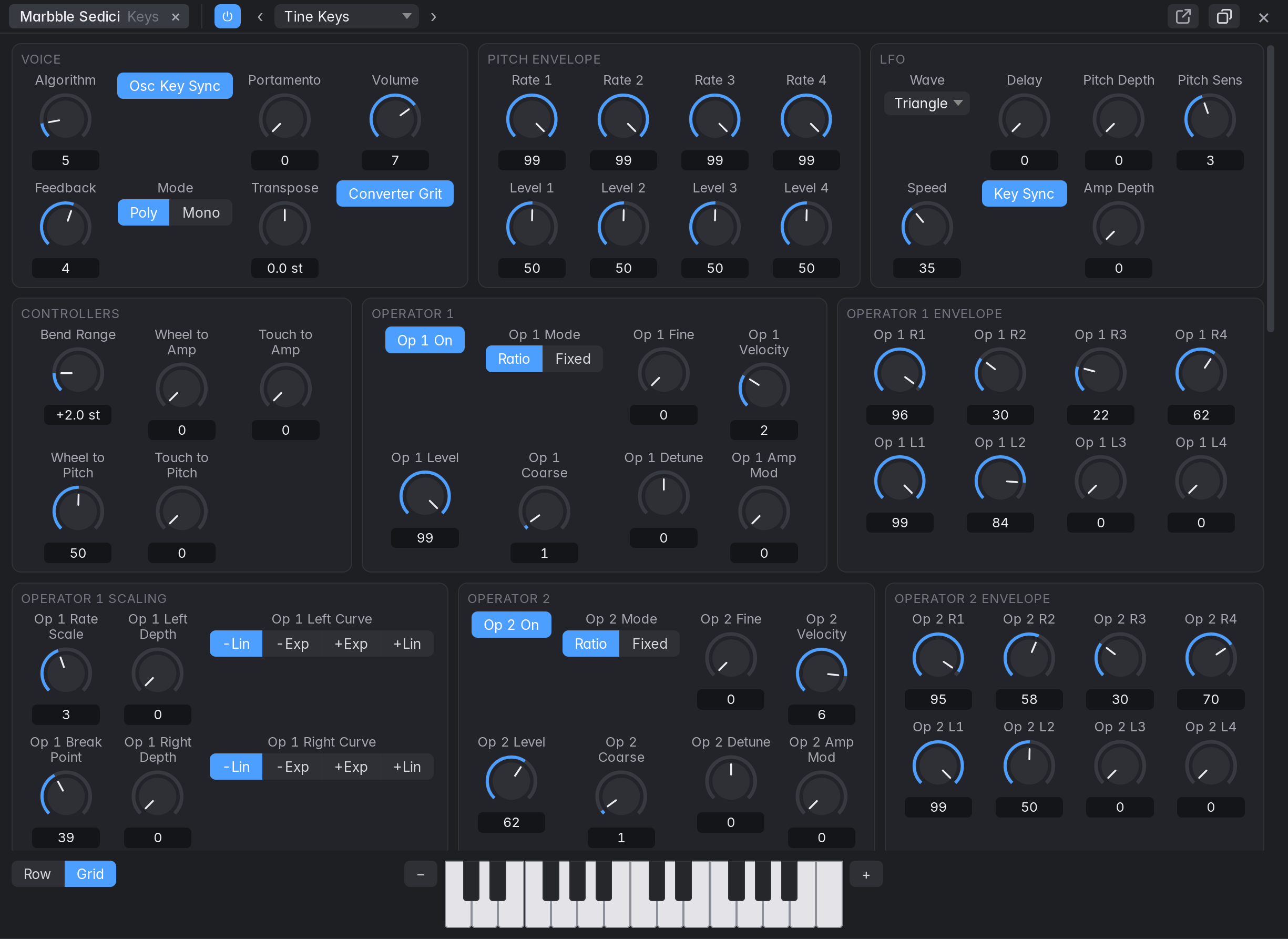
six operators eachFrequency modulation with 32 algorithms, four-rate envelopes and keyboard scaling, running at a fixed 49.096 kHz whatever the project's rate, with a switchable low-resolution converter character. - ModernMarbble Onda16voices
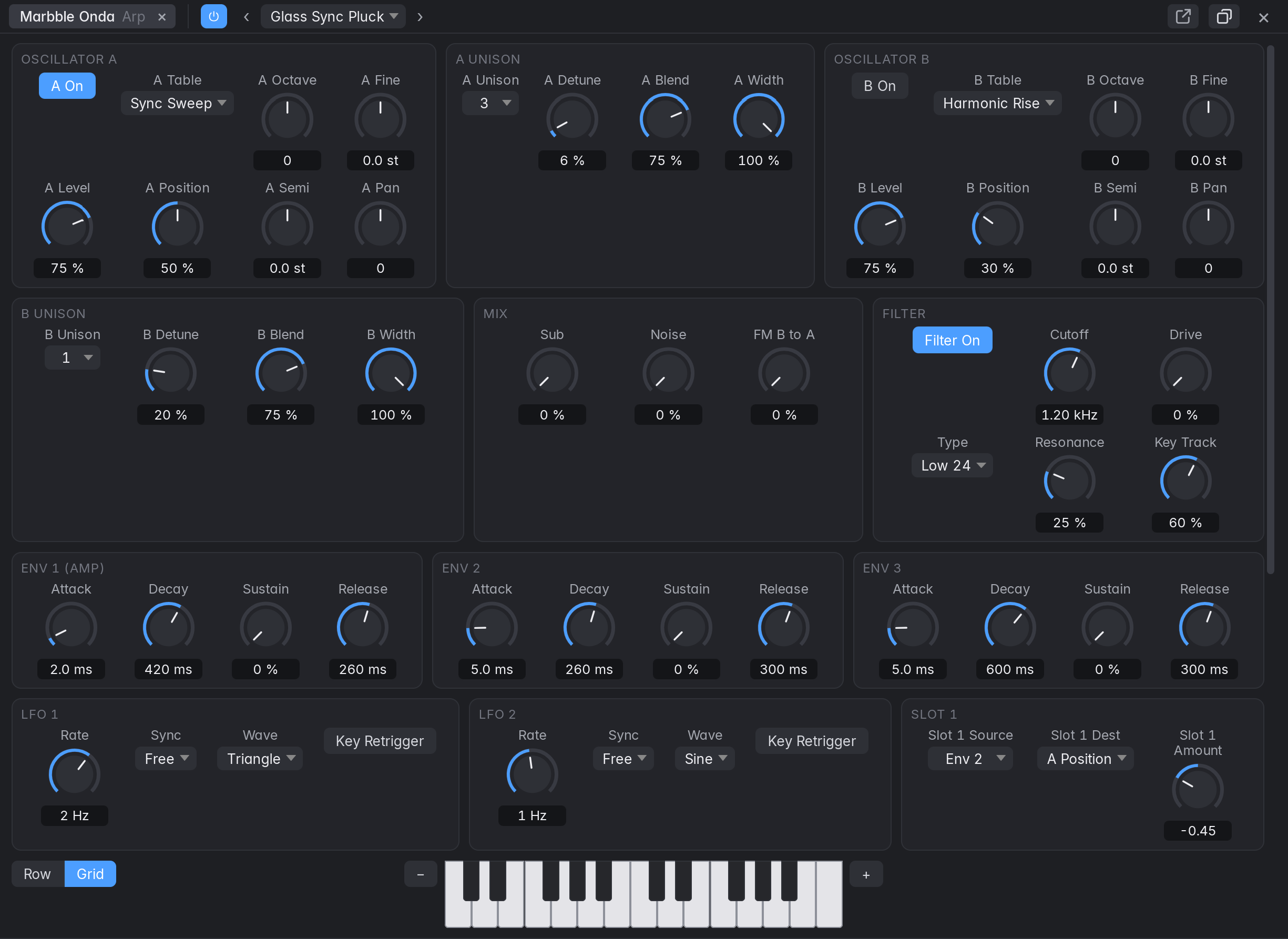
up to 7 unison per oscTwo wavetable oscillators with position scan over band-limited tables generated in code, seven filters, three envelopes, two LFOs and eight modulation slots you route yourself.
The traces are textbook waveforms of each kind of engine, drawn for this page, not recordings of the instruments. Five of the six follow a specific instrument's documented behaviour: the Guide says which, and how far that goes. None has been compared with the original, and every constant marked as a guess in the architecture notes is still to be tuned by ear.
02 Sampler
Your own sounds, playable straight away.
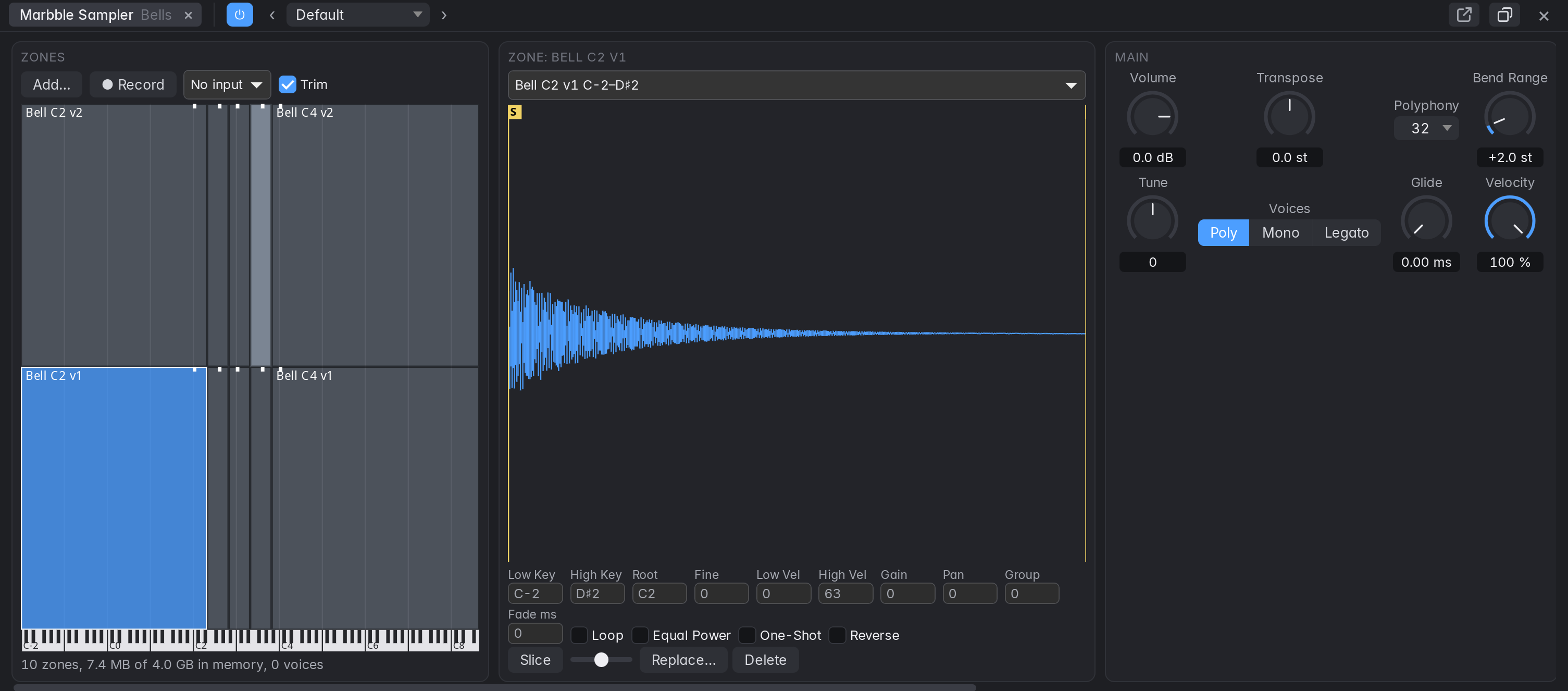
Drop a file on Marbble Sampler and it plays across the keyboard. Several files map themselves by the note in their names; layers and round robins sort themselves out the same way. Or record straight in from the audio input, or turn an audio region into a sampler track, whole or sliced at its transients.
Loops with crossfades, one-shot, reverse, an amp envelope, a filter with envelope, an LFO, glide and polyphony. A useful subset of SFZ loads, and what it doesn't do is listed. Samples are copied into the project and held in memory, up to 4 GB; there's no disk streaming yet. Sampler guide
03 Mixing
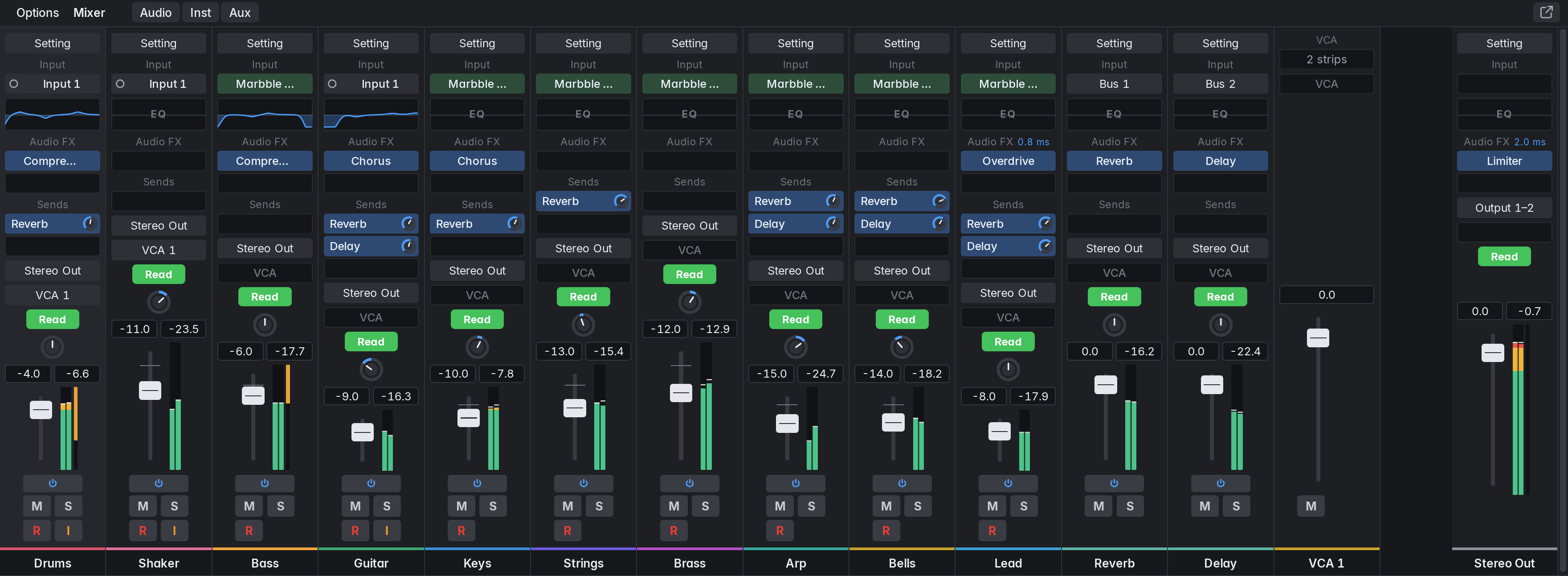
A channel strip's whole signal path, with delay compensation on every route.
- IN
Region or instrument
Audio, MIDI or a pattern; a VST3 or built-in instrument.
- EQ
Channel EQ
Eight bands, with an analyzer.
- FX
Audio FX
Eight slots: built-in or VST3, with plug-in delay compensation.
- SND
Sends
Eight, pre- or post-fader, to aux buses.
- FDR
Fader and pan
Peak readouts, gain-reduction bar, groups and VCA faders.
- OUT
Output
Routing to any bus, up to Stereo Out and its automation.
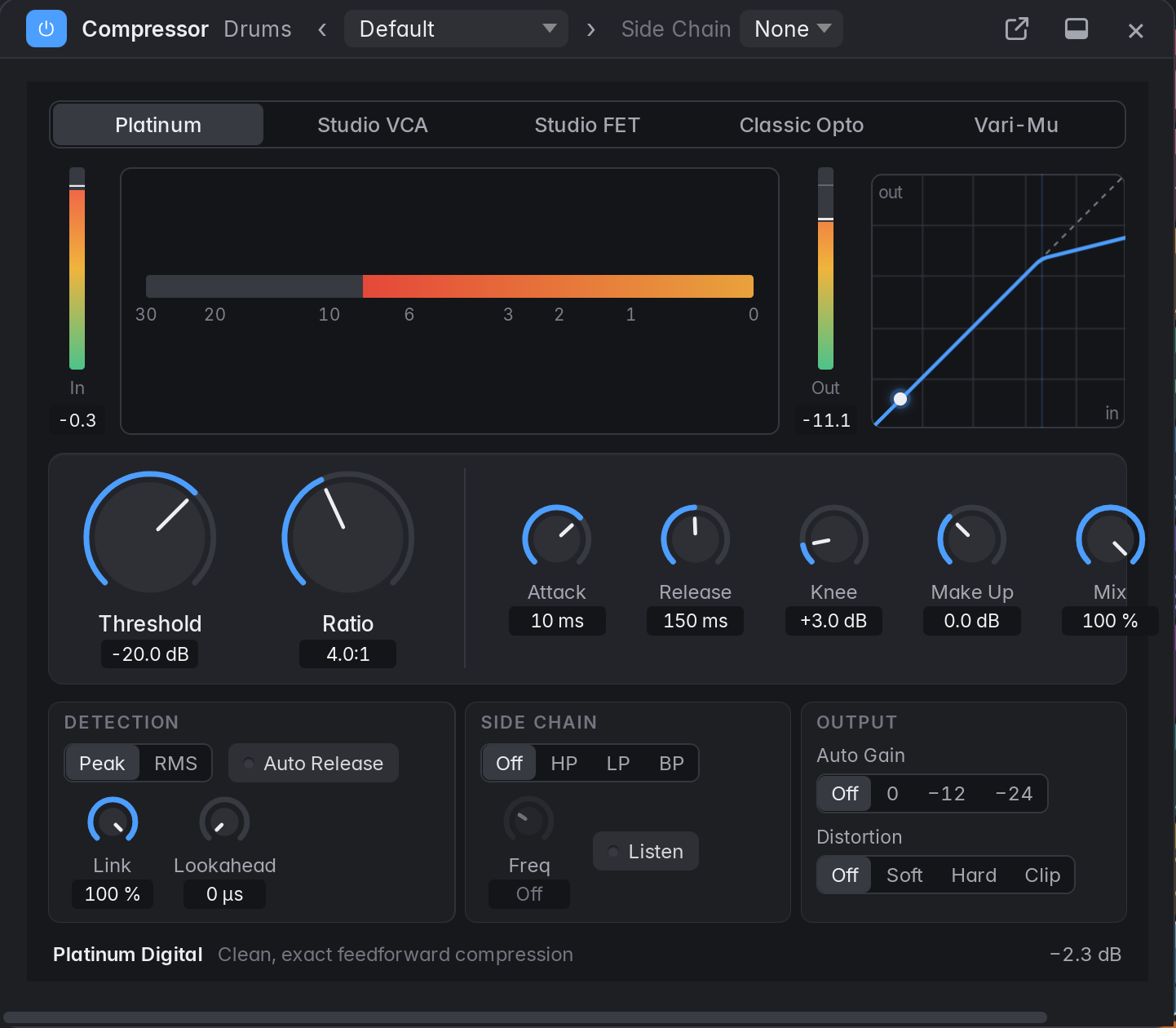
Sixteen built-in effects
In any Audio FX slot, with docked, floating or separate-window panels, presets and automatable parameters. The Compressor has five modelled circuits, and it, the Noise Gate and the De-Esser take a side-chain from any track, pre- or post-fader. Effects guide
Dynamics
- Compressor
- Limiter
- Noise Gate
- De-Esser
Space and modulation
- Reverb
- Delay
- Chorus
- Flanger
- Phaser
- Tremolo
Drive
- Overdrive
- Distortion
EQ, utility, metering
- Linear Phase EQ
- Gain
- Tuner
- Loudness Meter
VST3, kept at arm's length
Instruments and effects are scanned in a separate process. Every plug-in's output is checked, so NaNs and runaway levels are silenced and the plug-in is named in a message. Side-chain inputs, multi-output instruments, and undo for a knob moved in a plug-in's own window. Plug-ins guide
VST3 only: no CLAP, AU or VST2. Editor windows open on Linux (X11) and macOS, and not yet on Windows.
Tracks across cores
Independent tracks play at the same time on a small pool of real-time threads, and the output is the same sample for sample however many play it.
Audio load, with a tick at the peak: one measurement, of a copy of one real project with five heavy VST3s at 512 samples on Linux, with its output turned down. It's not a benchmark, and nobody has listened through it yet. Automatic stays on one thread on Windows and macOS for now. How it works
04 Everything else
The rest of the spec sheet.
- Recording
- Audio from any input, mono or stereo per track, with latency compensation; MIDI with controllers, pitch bend and aftertouch. Count-in, pre-roll, Autopunch, Replace mode, Step Input. Crash-safe takes.
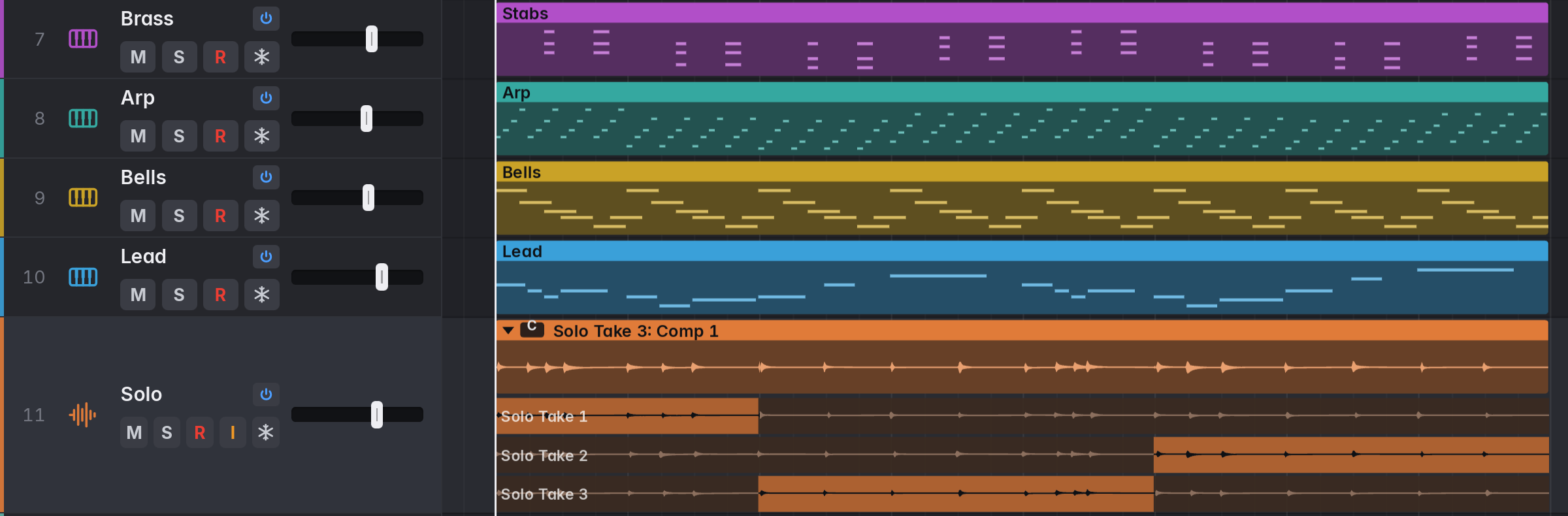
- Comping
- Cycle-record into take folders and swipe across takes to build a comp. Several comps per folder, crossfaded boundaries, and MIDI take folders.
- Tracks area
- Move, trim, split, loop, fade and nudge with Smart snap, musically across tempo changes. Eight tools, five drag modes, fade curves, Strip Silence and section edits.
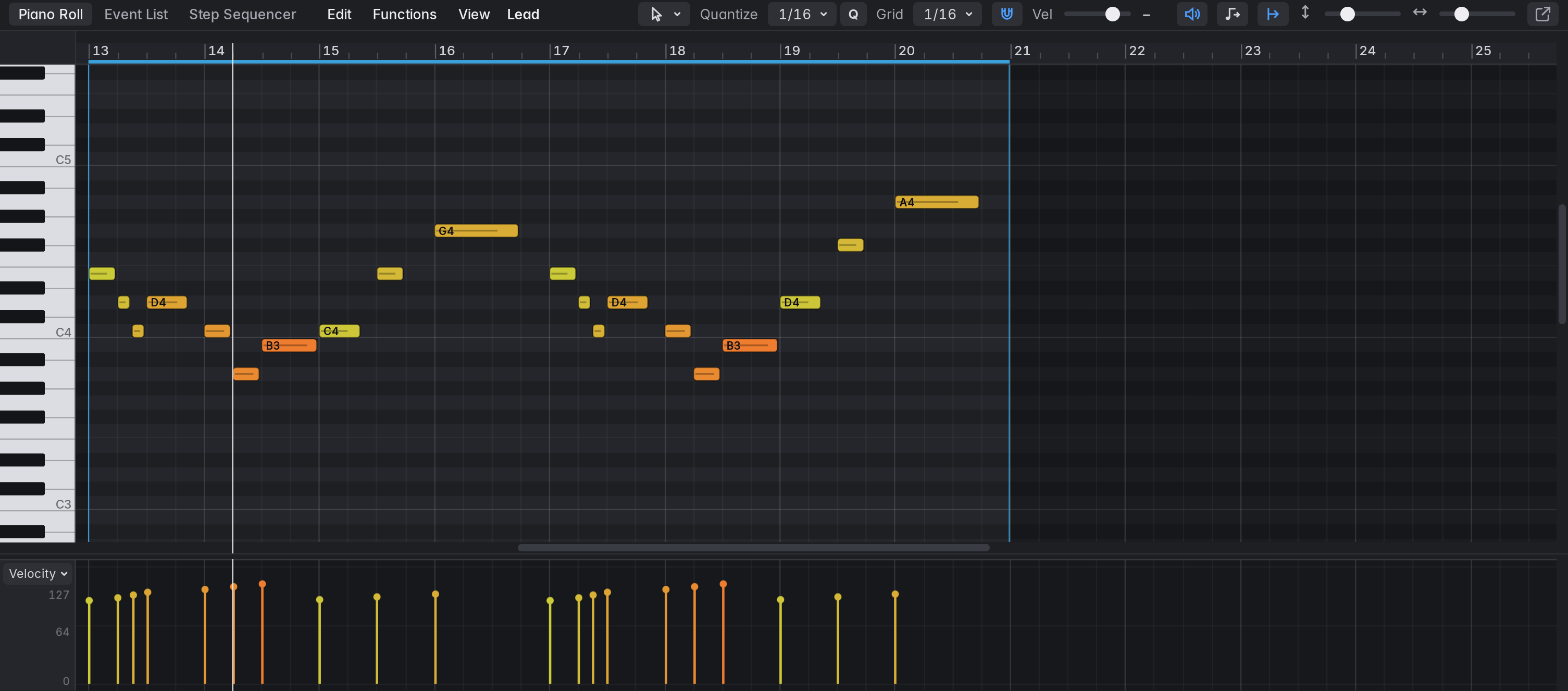
- Editors
- A Piano Roll with eight tools, quantize and a velocity and controller lane; an Event List; a Step Sequencer with pattern regions; an Audio Track Editor with Split at Transients.
- Arrangement
- Track stacks, groups, Freeze, Track Off and track alternatives. Markers and an Arrangement track whose sections move and copy with their content.
- Automation
- Off, Read, Touch, Latch and Write on volume, pan, mute, sends and plug-in parameters. Several lanes per track and curved segments.
- MIDI Learn
- Assign a controller's knobs, faders and buttons to mixer controls, plug-in parameters and the transport.
- Bounce
- Offline bounce of a project or section, and export of tracks or a region, as WAV, AIFF or FLAC at 16-bit dithered, 24-bit or 32-bit float.
- Projects
- Folders with templates, alternatives, backups with Revert to, autosave, crash recovery and undo for every edit.
- Interface
- Separate windows for the Mixer, editors and panels, five themes, interface scaling from 90 to 200%, and rebindable key commands shown the way your platform writes them.
Not there yet: Flex Time and Flex Pitch, a Score editor, control surface protocols such as Mackie Control, MP3 and AAC bounces, and ASIO on Windows. The full list
05 Download
Get the current alpha.
Latest: v0.1.0-alpha.6, a prerelease. Builds aren't signed yet, so your system will warn about them. Each button gets the newest release's file, or opens the releases page if GitHub can't be asked.
Linux
Main platform, tested
Built on Ubuntu 24.04: needs glibc 2.39 and PipeWire 1.0 or newer. Stable releases add .rpm. With Nix, use the flake.
Windows
Not yet run on a real machine
Unsigned: in the SmartScreen prompt, choose More info, then Run anyway. VST3 editor windows don't open here yet, though the plug-ins still load and play.
macOS
Not yet run on a real machine
Unsigned: right-click the app and choose Open the first time, or run xattr -cr /Applications/Marbble.app.
Or build it
git clone https://github.com/JackMechem/marbble && cd marbble
nix run .
Nix flakes do it in one go. Build instructions cover other Linux distributions, Windows and macOS.
If you make music
User Guide
Recording, editing, mixing and exporting, every setting and key command, and what to do when it goes wrong.
If you read code
Contributors
Threads, real-time rules, the project model, the engine graph, the VST3 host and a map of every source file. How to build, test and debug, and recipes for common changes.