
Marbble Tre
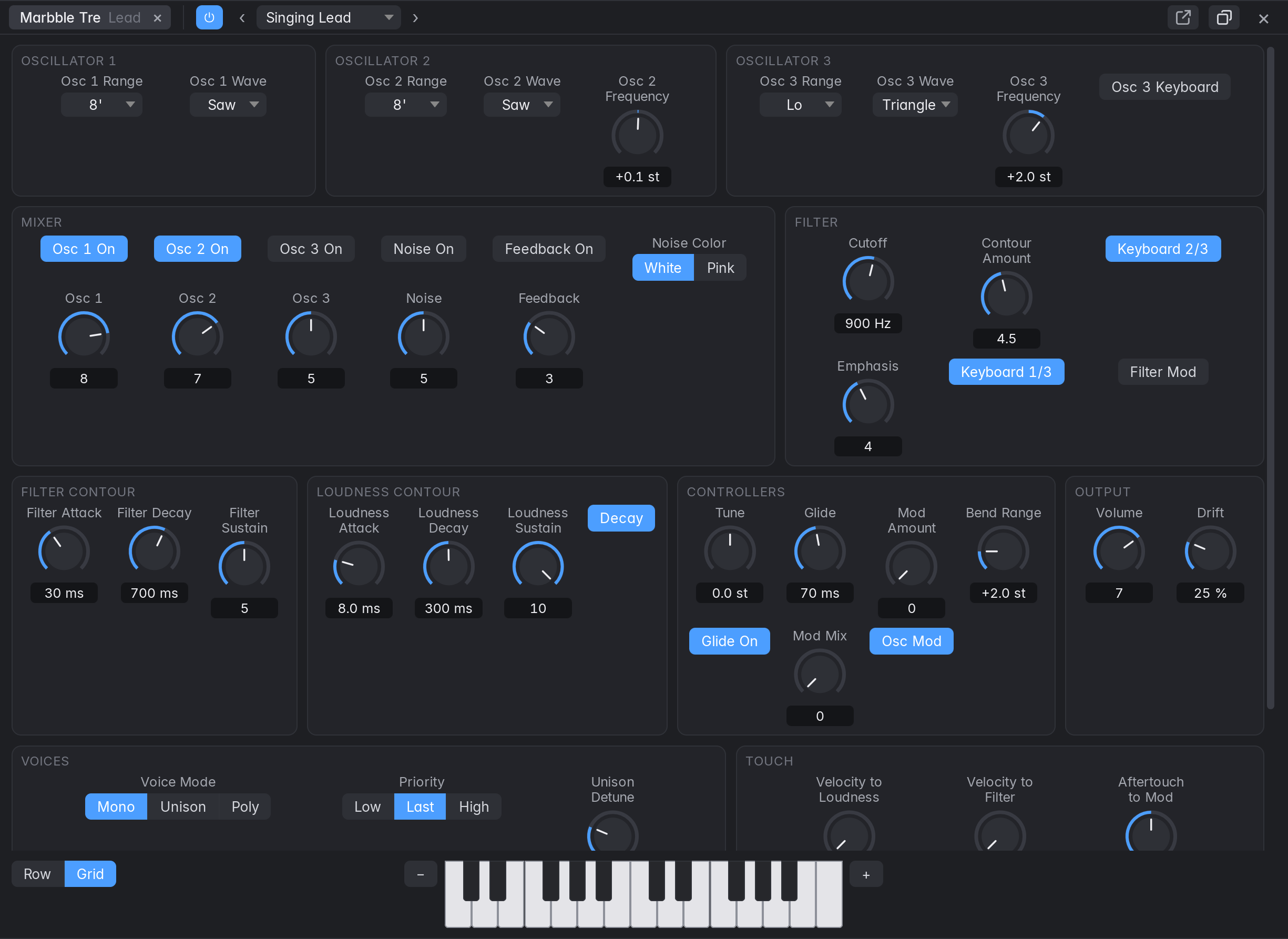
A three-oscillator monophonic synth, modelled on the behaviour of a classic 1970s synth (the Minimoog Model D; Marbble isn’t affiliated with its maker, and this hasn’t been compared with one). Choose it under Vintage Synths in the instrument slot, the Library or New Tracks. Clicking the slot’s name opens its panel in the bottom section, whatever Open Effect Panels says, with the presets in its header and a small keyboard along the bottom (− and + move it by octaves). The button in the header floats the panel. Row and Grid, beside the keyboard, choose how the sections are laid out: in one row, which the mouse wheel moves along, or in lines that fill the panel. The bottom section starts with Row and a floating panel with Grid, and each remembers its own choice. Right-click a control for Learn MIDI Assignment. Everything on it is saved in the project, can be automated in a lane, and undoes.
- Oscillators: a range (Lo, 32’ to 2’), a wave, and for 2 and 3 a Frequency knob of ±7 semitones. Turn Osc 3 Keyboard off and put it in Lo to make it an LFO.
- Mixer: a level and a switch for each oscillator and noise. With two or three oscillators past about half way the sum overdrives the filter, which is how this kind of synth gets fat. Feedback sends the output back into the mixer for more.
- Filter: a 24 dB low-pass. Emphasis past 8 makes it whistle by itself, in tune when both Keyboard switches are on. Contour Amount is how far the Filter Contour opens it.
- Contours: Attack, Decay and Sustain, one for the filter and one for loudness. With the Decay switch on, a released key fades at the Decay time; off, the note ends at once.
- Controllers: Glide, the pitch bend’s range, and the modulation: Mod Mix blends osc 3 with noise, the mod wheel (and Mod Amount, which is where it rests) sets how much, and Osc Mod and Filter Mod say where it goes.
- Voices (not on the original): Mono is one note, the lowest key down, without restarting the contours when playing legato, as the instrument does. Priority and Trigger change those. Unison stacks voices on one note, with Unison Detune and Stereo Spread. Poly plays chords. Touch sets what velocity and aftertouch do; off to start with.
- Drift is how much each voice wanders and differs from the next. A render repeats exactly, and a duplicated track has its own differences.
Presets: the pop-up in the panel’s header lists factory presets and yours. Save As keeps the current sound as your own preset, in every project.